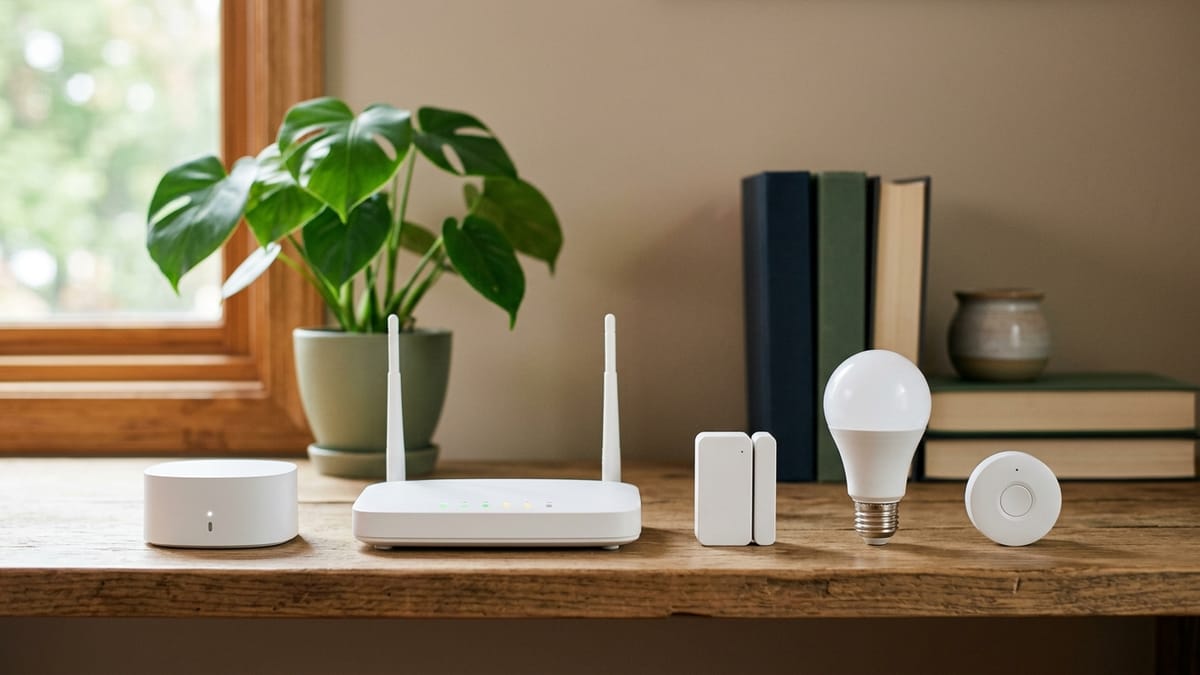
If you are shopping for smart home devices, the hardest part is often not the device itself. It is the language around it.
A light bulb may mention Matter. A sensor may mention Thread. A switch may say Zigbee. A lock may say Z-Wave. Then the box may also mention a hub, bridge, app, controller, platform, or ecosystem.
For a homeowner, the real question is simpler:
Will this device work with the home setup I actually want to use?
This guide explains the terms in plain English so you can read a product page or box with a little more confidence before you buy.
Quick Answer
Matter is a smart home compatibility standard. It is meant to help supported devices work across major smart home platforms.
Thread is a low-power networking technology. Some smart home devices use it to communicate, and it is often mentioned alongside Matter.
Zigbee is an established low-power mesh technology used by many smart home devices, especially bulbs, sensors, switches, and related accessories. It often works through a hub or bridge.
Z-Wave is another established smart home wireless technology, commonly used for home control devices and often managed through a compatible hub or controller.
The important point: these words do not all mean the same thing. Some describe compatibility. Some describe the network. Some imply extra hardware. Before buying, you still need to check the exact device, platform, hub, and features you plan to use.
Who This Is For
This guide is for homeowners who are interested in smart home devices but do not want to become networking experts first.
It is especially useful if:
- you are buying your first few smart home devices
- you want devices from different brands to work together
- you are not sure whether you need a hub or bridge
- you want to avoid buying something that only partly works with your phone, app, or speaker
- you have seen Matter, Thread, Zigbee, or Z-Wave on a product page and wondered what they actually mean
If you are designing a large custom smart home system, this article may be too basic. But if you are trying to make a practical buying decision, it should help.
Matter: The Compatibility Label
Matter is best understood as a compatibility standard.
In plain English, Matter is meant to make it easier for supported smart home devices to work across major platforms. The goal is less guessing about whether a device will work with the smart home app or voice assistant you already use.
That does not mean every Matter device supports every feature in every app. A device may work in more than one ecosystem, but some advanced settings may still live in the manufacturer’s own app. Product support can also vary by device type, platform, and software version.
What to ask before you buy:
- Does this exact device support Matter?
- Does it support the platform I actually use?
- Are the features I care about available in that platform, or only in the manufacturer’s app?
- Does it need Wi-Fi, Thread, or another connection method?
For many homeowners, Matter is a helpful sign. It is not a reason to skip the compatibility check.
Thread: A Low-Power Network for Some Devices
Thread is not the same thing as Matter.
A simple way to think about it: Matter can describe how supported devices understand each other, while Thread can describe one way some devices connect and communicate.
Thread is built for low-power smart home and IoT devices. You may see it mentioned on sensors, plugs, bulbs, locks, and other small devices. It can be useful because many smart home devices do not need the same kind of heavy Wi-Fi connection as a laptop or TV.
The practical catch is that a Thread device often needs the right kind of support in your home. You may need a compatible platform device that acts as a Thread border router. The name sounds technical, but the homeowner version is simple: check whether your existing smart speaker, hub, streaming box, or platform can connect Thread devices before you buy one.
What to ask before you buy:
- Is this a Thread device?
- Do I already have a Thread border router or compatible platform device?
- Does this Thread device also support Matter, or is it tied to a specific app or ecosystem?
- Will setup be simple with the phone and app I already use?
Zigbee: A Long-Running Smart Home Mesh Option
Zigbee has been around in smart home products for a long time. Many bulbs, sensors, switches, plugs, and other accessories use Zigbee.
In plain English, Zigbee is a low-power wireless system that can let compatible devices communicate through a mesh network. A mesh network means devices can help pass signals along rather than depending only on one direct connection back to a router.
For homeowners, the main thing to know is that Zigbee devices often need a compatible hub or bridge. For example, a smart bulb may not connect directly to your phone by itself. It may need a bridge from the same lighting brand, or a smart home hub that supports Zigbee.
What to ask before you buy:
- Does this device use Zigbee?
- Does it require a hub or bridge?
- Is it compatible with the hub or bridge I already own?
- Will it work in my preferred app, or only through another app?
Zigbee can be a good fit when you want low-power accessories and already have the right hub. It can be frustrating if you buy the device first and discover the hub requirement later.
Z-Wave: Another Hub-Based Smart Home Option
Z-Wave is another wireless smart home technology. It is often used for devices such as switches, sensors, locks, outlets, and other home control products.
For a homeowner, Z-Wave often means you should think about the hub or controller first. Many consumer Z-Wave setups use a compatible hub or controller to manage devices. That hub may then connect with an app or broader smart home platform.
One practical detail: Z-Wave uses regional radio frequencies, so compatibility can depend on where the device and hub are sold. If you are buying from a normal local retailer, this may be handled for you. If you are importing devices or buying from third-party marketplaces, it is worth checking more carefully.
What to ask before you buy:
- Does my hub support Z-Wave?
- Is this device compatible with my hub’s region and generation?
- Does it support the feature I care about in my hub’s app?
- Will I be comfortable managing a hub-based system?
Z-Wave can make sense for homeowners who want a more hub-centered smart home setup. It may be too much if you only want one simple plug or bulb.
Quick Comparison Table
| Term | What it is | What homeowners should care about | Common buying question |
|---|---|---|---|
| Matter | A smart home compatibility standard | Whether the device works with your chosen platform and features | ”Does this Matter device work with Apple Home, Google Home, Alexa, SmartThings, or the app I use?” |
| Thread | A low-power networking technology | Whether you have the right border router or platform support | ”Do I already have something at home that can connect Thread devices?” |
| Zigbee | A low-power smart home mesh technology | Whether you need a hub or bridge | ”Will this Zigbee device work with my hub or bridge?” |
| Z-Wave | A smart home wireless technology often managed by hubs/controllers | Whether your hub supports the device and region | ”Does my Z-Wave hub support this exact device?” |
Which Label Should Decide the Purchase?
None of these labels should decide a purchase by itself. Start with the control experience your household wants, then work backward.
| What you already have or want | Check first | Then verify before buying |
|---|---|---|
| One main app or voice platform | The exact device appears in that platform’s current compatibility information | The feature you care about works there, not only in the maker’s app |
| A Thread-based device | Your home has a compatible Thread border router | The device also works with your chosen platform and phone |
| An existing Zigbee hub or bridge | The hub maker lists the exact device or product family | Adding it does not require a second bridge or separate daily-control app |
| An existing Z-Wave controller | The controller supports the device type and regional frequency | The exact feature and association behavior you need are supported |
| No smart-home equipment yet | One device solves a specific household problem without extra hardware | It still has an acceptable manual fallback and return path |
This table is deliberately platform-first. A protocol can describe how a product communicates without answering whether your preferred app exposes the feature you are buying it for.
Standard, Network, Hub, Bridge, and Ecosystem: What Is the Difference?
These terms often get mixed together, but they are not the same.
A standard is a shared set of rules. Matter is the term in this article that most clearly fits this idea.
A network is how devices communicate. Thread, Zigbee, Z-Wave, and Wi-Fi can all be part of the networking conversation.
A hub, bridge, controller, or border router is hardware that helps devices connect, communicate, or be managed. The exact name depends on the technology and brand.
An ecosystem or platform is the larger system you use to control devices. Examples include Apple Home, Google Home, Amazon Alexa, Samsung SmartThings, and manufacturer apps.
The box may mention several of these at once. That is why the safest buying question is not “Does it support one familiar logo?” The better question is:
Does this exact device work with the exact app, hub, and features I want to use?
Common Mistake
A common mistake is buying by logo alone.
For example, a homeowner sees a familiar compatibility logo and assumes every feature will work exactly the same in every app. Later, they find out that setup requires another device, a hub, a bridge, a specific phone app, or a software update.
The logo matters. It is worth looking for. But it is only the beginning of the compatibility check.
A Simple Homeowner Scenario
Imagine a homeowner who wants three things:
- a few smart bulbs in the living room
- a motion sensor near the hallway
- a thermostat that can be controlled from the same phone
This sounds simple, but the terms matter quickly.
The bulbs might use Zigbee and need a bridge. The motion sensor might use Thread and need a compatible border router. The thermostat might use Wi-Fi and work directly through a manufacturer app. Some devices might support Matter, but not all features may appear in the same place.
This does not mean the homeowner should give up. It means the buying order matters. Pick the app or platform first, then choose devices that clearly fit that setup.
Before You Buy Checklist
Use this checklist before buying a smart home device with Matter, Thread, Zigbee, or Z-Wave on the box.
- What app or platform do I want to use most?
- Does this exact device support that app or platform?
- Does it need a hub, bridge, controller, or Thread border router?
- Do I already own that extra hardware?
- Does the feature I care about work in my chosen app, or only in the manufacturer’s app?
- Does the device use Wi-Fi, Thread, Zigbee, Z-Wave, Bluetooth, or something else?
- Is the device certified for the standard named on the box?
- Will the other people in my home know how to use it?
- What happens if the internet or Wi-Fi is down?
- Can I return it if setup is more complicated than expected?
Best First Step
Before buying another device, choose your main control system.
That might be Apple Home, Google Home, Amazon Alexa, Samsung SmartThings, a manufacturer’s app, or a dedicated hub. The right answer depends on what you already own and what your household will actually use.
Once you know that, choose one simple device that clearly supports your preferred setup. A first smart home purchase should reduce friction, not create a weekend troubleshooting project.
What to Read Next
If you are still early in the process, start with:
- What Is a Smart Home? A Plain-English Guide for Homeowners
- Questions to Ask Before Buying Your First Smart Home Device
If you are ready to turn those terms into a simple plan, read:
Sources and Verification Notes
The technical definitions and certification boundaries in this guide were checked on October 10, 2026 against the organizations that maintain the standards:
- Connectivity Standards Alliance: Matter overview
- Connectivity Standards Alliance: Matter FAQ
- Thread Group: Thread technology overview
- Connectivity Standards Alliance: Zigbee FAQ
- Z-Wave Alliance: technology overview
- Official CSA certified-product search and Z-Wave product catalog for exact-product verification
Standards support and platform features change. Treat these links as the starting point, then check the exact model and the current support page for the app, hub, or controller you plan to use.