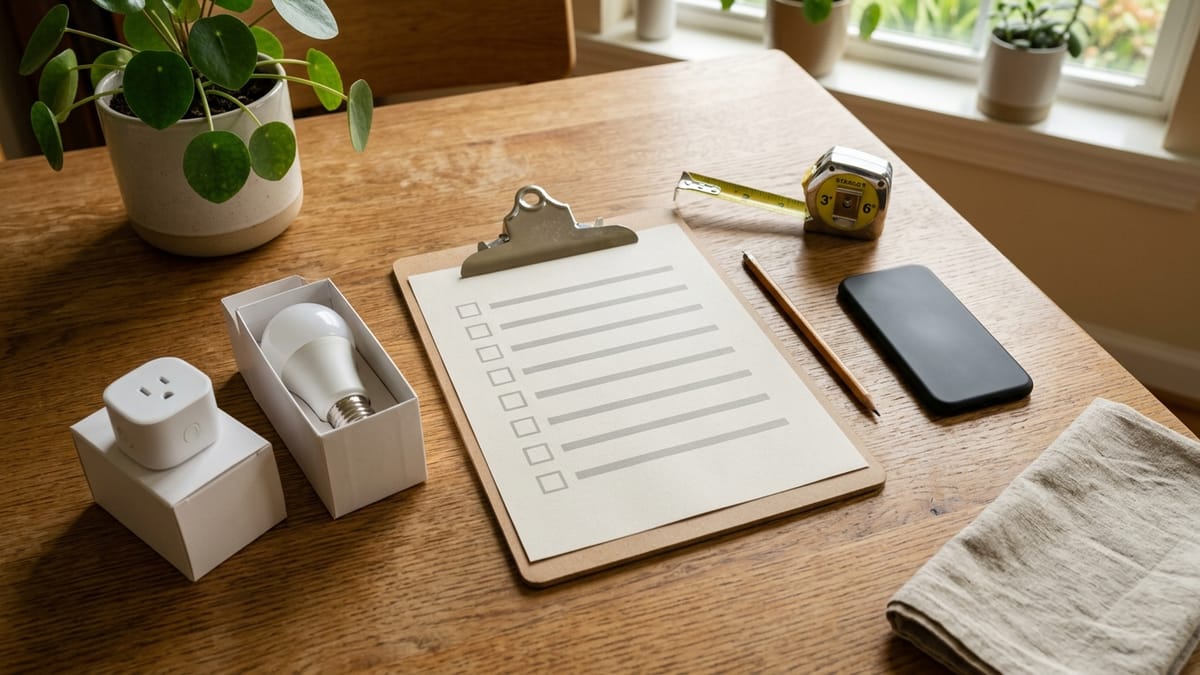
Smart home setup can sound simple until you start looking at real products.
One device needs an app. Another works with a voice assistant. A third mentions a hub, bridge, Matter, Thread, Wi-Fi, Bluetooth, or a monthly plan. Suddenly a simple idea like “I want the lights to be easier to control” turns into a pile of decisions.
This checklist is for homeowners who want the benefits of smart home devices without turning the house into a technical project.
It is not an electrical installation guide. It will not tell you how to wire a switch, mount a camera, or bypass manufacturer instructions. Instead, it helps you plan the setup before you buy, so your first smart home choices are easier to live with.
Quick Answer
For most non-technical homeowners, a practical smart home setup starts with five questions:
- What problem am I trying to solve?
- What app, voice assistant, or control system will my household actually use?
- Will the device work where I want to put it?
- Who else needs access?
- Are there privacy, subscription, or maintenance tradeoffs I should understand first?
Start with one room, one problem, and one simple device. Expand only after that first setup works well for the people who live in the home.
Who This Is For
This checklist is for homeowners who are curious about smart home devices but do not want a complicated automation project.
It may be useful if:
- you are buying your first few smart home devices
- you want a setup that a spouse, partner, parent, guest, or older child can also use
- you are unsure whether to use Apple Home, Google Home, Amazon Alexa, SmartThings, or a manufacturer’s app
- you want to avoid buying devices that do not work well together
- you prefer practical questions over technical jargon
If you already enjoy building advanced automations, running custom hubs, and troubleshooting networks, this article will probably feel basic. That is intentional. The goal is a calm first setup, not a perfect forever system.
Who Should Skip This
Skip this checklist if you are looking for:
- electrical wiring instructions
- security camera placement advice for legal or surveillance questions
- a ranked list of products
- professional whole-house automation design
- exact compatibility guidance for a specific device model
For anything involving wiring, permits, electrical panels, doorbell transformers, HVAC controls, or outdoor installation, check the manufacturer’s instructions and use a qualified professional when wiring or electrical work is involved. A checklist can help you prepare, but it should not replace safe installation guidance.
The Simple Setup Order
A smart home setup usually goes better when you make decisions in this order:
- Define the problem.
- Choose your main control method.
- Check Wi-Fi, power, and placement.
- Start with one room or use case.
- Plan household access.
- Review privacy, subscriptions, and maintenance.
- Expand only after the first device is easy to use.
The order matters because many setup problems begin before the box is opened. A device can be well made and still be the wrong first choice for your home.
Step 1: Define the Problem Before the Device
The first question is not “Which smart device should I buy?”
The better question is:
What part of my home do I want to make easier to manage?
Useful answers sound like this:
- “I want the entry light to turn on more easily when we come home.”
- “I want to check whether the garage door was left open.”
- “I want one lamp to turn on automatically in the evening.”
- “I want the thermostat schedule to be easier to adjust.”
- “I want fewer separate remotes, timers, and manual switches.”
Less useful answers sound like this:
- “I want a smart home.”
- “I saw a device on sale.”
- “Everyone says this brand is good.”
- “I want to automate everything.”
The more specific your problem is, the easier it is to choose a first device that actually helps.
Step 2: Choose Your Main Control Method
Before buying several devices, decide how your household will usually control them.
Common control methods include:
- a phone app
- a voice assistant
- a smart speaker or display
- a smart home platform such as Apple Home, Google Home, Amazon Alexa, or Samsung SmartThings
- a manufacturer’s own app
- a hub or bridge
You do not need to understand every technical detail at the beginning. But you should know which control method you want to rely on most.
Ask:
- Do I want to use my phone, voice, wall controls, schedules, or all of the above?
- Will other people in the home be comfortable using this method?
- Do I already own a smart speaker, hub, or platform device?
- Do I want fewer apps, even if that limits device choices?
- Am I comfortable with a hub, or do I want something simpler?
For many households, the easiest setup is the one everyone can understand. A technically impressive setup is not very useful if only one person knows how to turn things on and off.
Step 3: Check Wi-Fi, Power, and Placement
Many smart home frustrations are not really “smart home” problems. They are placement problems.
Before buying, check the place where you want the device to work.
Ask:
- Is the Wi-Fi reliable in that room or area?
- Is there an outlet nearby, or do I prefer a battery-powered device?
- If the device uses batteries, am I willing to replace or recharge them?
- Will the device be placed where it can actually sense, light, record, or control what I care about?
- Will the device be easy to reach if it needs a reset?
- Is the location indoors, outdoors, damp, hot, cold, or exposed?
This is especially important for garages, basements, porches, detached buildings, and corners of the house where Wi-Fi may be weaker.
If a device requires wiring, outdoor mounting, HVAC control, or changes to existing electrical equipment, pause before treating it as a casual weekend setup. The right next step may be reading the manual carefully, checking compatibility, or using a qualified professional.
For plug-in devices, think about app setup, Wi-Fi reliability, scheduling, energy monitoring, and product documentation before buying. This smart plug and smart power strip buyer checklist covers those questions in more detail.
Step 4: Use a Room-by-Room Checklist
You do not need to plan the entire home at once. A room-by-room checklist can keep the project practical.
| Area | Setup questions to ask before buying |
|---|---|
| Entryway | Do I want easier lighting, a doorbell alert, a lock reminder, or a camera view? Who needs access? |
| Living room | Do I want lamps, plugs, speakers, TV controls, or simple routines? Will guests understand how to use them? |
| Bedroom | Do I want lighting, temperature, or nighttime convenience? Could alerts or bright devices be annoying? |
| Kitchen | Do I want timers, lighting, leak alerts, or voice control? Is the device safe and practical around heat, water, or appliances? |
| Garage / basement | Is Wi-Fi strong enough? Do I need alerts, lighting, or simple status checks? |
| Utility areas | Would a sensor, plug, or reminder help? Is the device rated for the location where it will sit? |
| Outdoor areas | Is the device designed for outdoor use? How will power, Wi-Fi, weather, and privacy be handled? |
Use this table to narrow the first setup to one area. A good first smart home project should be boring in the best way: clear, useful, and easy to undo if it is not right.
Step 5: Plan Household Access
A smart home device is not just a gadget. It becomes part of how the household works.
Before setup, ask:
- Who needs to control this device?
- Will each person have their own account, or will one person manage everything?
- What happens if the main phone is not home?
- Can guests, house sitters, or family members use the basics without downloading several apps?
- Is there still a physical switch, button, keypad, or manual fallback?
- Who will receive alerts?
- Who will maintain batteries, updates, or subscriptions?
This matters more than many first-time buyers expect. A smart light that only one person can control may become less convenient than the old switch.
Step 6: Review Privacy and Subscription Questions
Before buying a smart device, especially one with a camera, microphone, location feature, or cloud service, slow down and ask a few questions.
Privacy questions:
- Does this device record video, audio, motion, location, or household activity?
- Where can I review privacy settings?
- Can I turn off features I do not want?
- Who in the household will have access to alerts or recordings?
- Is the device going in a place where guests or neighbors may be affected?
Subscription questions:
- Which features work without a monthly plan?
- Which features require a paid plan?
- Is the device still useful if I cancel the subscription later?
- Are storage, alerts, history, or advanced features tied to payment?
- Am I comfortable adding another recurring cost?
The point is not that subscriptions are always bad. Sometimes they pay for features a homeowner values. The point is to know the tradeoff before you build your setup around a feature that may not be included forever.
For doorbell cameras specifically, do not stop at the phrase “no monthly fee.” Check storage, app, Wi-Fi, and privacy trade-offs before buying. This video doorbell buyer checklist covers those questions in more detail.
For camera-related upgrades more broadly, think about placement, Wi-Fi, storage, privacy, and app settings before buying. This camera category comparison can help you decide whether indoor, outdoor, or doorbell makes sense.
Common Mistake
A common mistake is buying three unrelated devices before choosing a control method.
For example, a homeowner might buy a smart bulb, a doorbell, and a plug because each one looked useful on its own. Later, they discover that each device wants a different app, uses different notifications, has different account settings, and does not fit neatly into one routine.
That does not mean the devices are bad. It means the setup plan came too late.
Start with the system you want to live with, then choose devices that fit it.
What Not to Do
Here are a few things to avoid in your first smart home setup:
- Do not start with the most complicated device in the house.
- Do not assume every compatibility logo means every feature will work everywhere.
- Do not buy a device just because it is discounted.
- Do not install anything that makes you uncomfortable.
- Do not ignore manufacturer instructions.
- Do not create a setup that only one person in the home can use.
- Do not add cameras, microphones, or locks without thinking through privacy and access.
- Do not keep expanding before the first device is working smoothly.
A strong early setup is usually small and understandable.
A Simple Homeowner Scenario
Imagine a homeowner who wants the front entry to feel easier in the evening.
A complicated first plan might include a video doorbell, smart lock, outdoor camera, porch light automation, motion sensor, and a voice routine.
A simpler first plan might be:
- check whether Wi-Fi reaches the entryway
- decide which app or voice assistant the household will use
- choose one smart bulb, smart switch, or plug-in lamp setup if appropriate
- confirm everyone can still use the light manually
- wait a week before adding anything else
The simpler plan does not solve every problem. But it gives the homeowner a low-stress way to learn how setup, control, and household access actually feel.
Copy This One-Device Setup Record
Before opening the box, copy this table into a note and fill in one row. If several cells are unknown, the purchase is not ready yet.
| Decision | Your answer |
|---|---|
| Household problem this device should solve | |
| Exact model and model number | |
| Main control app or platform | |
| Extra hub, bridge, account, or subscription required | |
| Power source and planned location | |
| People who need access | |
| Manual fallback if the app, account, or internet is unavailable | |
| Person responsible for updates, batteries, and account recovery | |
| Return deadline and removal plan |
Keep the record after setup. Add the purchase date, support link, and account owner. This creates a small household inventory instead of leaving the whole system in one person’s memory.
The Non-Technical Homeowner Checklist
Before buying your next smart home device, run through this checklist.
Problem:
- What specific problem am I solving?
- Is this device the simplest way to solve it?
- Would a regular timer, better bulb, or simpler habit solve it just as well?
Control:
- What app or platform do I want to use most?
- Will this device work with that app or platform?
- Does it need a hub, bridge, or extra hardware?
- Can other people in the home use it easily?
Placement:
- Is Wi-Fi reliable where the device will go?
- Is power available, or will it need batteries?
- Is the device designed for that room or location?
- Will it be easy to reach, reset, clean, or remove?
Privacy and access:
- Does it record or sense anything sensitive?
- Who receives alerts?
- Who can control it?
- Are guest or family access settings clear?
Subscriptions and maintenance:
- What works without a paid plan?
- What requires a subscription?
- Who will handle updates, batteries, or replacement parts?
- Is the device still useful if a service changes later?
Exit plan:
- Can I return it if setup is too complicated?
- Can I remove it without creating a bigger problem?
- Is there a manual fallback?
Best First Step
Before buying anything, write one sentence:
“I want to make [specific part of my home] easier because [specific reason].”
For example:
“I want to make the living room lamp easier to control in the evening because the switch is across the room.”
That sentence is your filter. If a device does not clearly help with that sentence, it may not be the right first purchase.
What to Read Next
If you are still early in the process, read:
- What Is a Smart Home? A Plain-English Guide for Homeowners
- Questions to Ask Before Buying Your First Smart Home Device
- Smart Home Terms Explained: Matter, Thread, Zigbee, and Z-Wave
Those three guides can help you understand the basic idea, ask better buying questions, and avoid compatibility confusion before you build out a bigger setup.
If your next planned device is a thermostat, read:
Sources and Verification Notes
This guide is an editorial planning framework, not an installation manual. Its account, update, documentation, and product-support questions were checked on October 10, 2026 against:
- NIST IR 8425: Profile of the IoT Core Baseline for Consumer IoT Products
- NIST IoT Cybersecurity Capabilities Catalog
- Connectivity Standards Alliance certified-product search
Use the current instructions and support page for the exact product you are considering. For wiring, HVAC controls, electrical equipment, outdoor installation, permits, or other work beyond ordinary plug-in setup, use qualified help appropriate to the job.