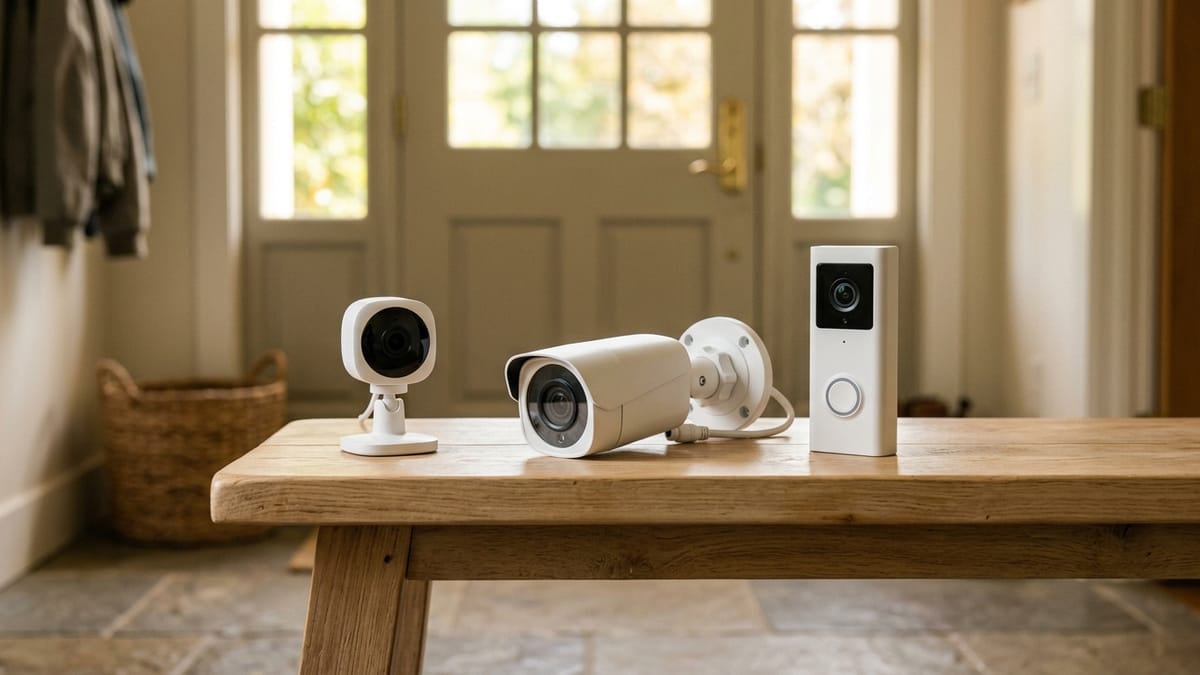
“I want a camera” does not identify a camera category. It could mean checking whether a pet entered one room, seeing who pressed the doorbell, reviewing a missed delivery, or looking across a detached garage after dark. Those problems ask for different views, power sources, recording behavior, and privacy boundaries.
A camera can provide visibility. It does not prove that a space is protected, that an alert will arrive, or that useful footage will be saved. The decision should begin with the scene you need to understand—not with the most impressive product specification.
This comparison uses current FTC and NIST guidance plus representative Ring and Google documentation. It is research-based; I did not install or test these cameras. It is not a product ranking, surveillance plan, crime-prevention promise, placement instruction, or legal advice.
Start with the problem and the people in the frame
Name the decision in one sentence. “See whether the dog is in the mudroom” is specific. “Watch the house” is not.
Then name who may be recorded. An exterior view can include neighbors, sidewalks, shared drives, or workers. An indoor view can include household members and guests during ordinary private life. A doorbell can record audio and movement before anyone presses the button.
Technical capability is only half of category fit. The other half is whether that view is appropriate, expected, and manageable.
Camera-category decision matrix
| Need or location | Indoor camera | Outdoor camera | Video doorbell | Main advantage | Main limitation | Privacy question | Power or network concern |
|---|---|---|---|---|---|---|---|
| One agreed indoor room | Natural category fit | Poor fit | Poor fit | Close view of a limited interior use | Highest household-privacy sensitivity | Who is present, and can video/audio be disabled clearly? | Usually needs indoor outlet or battery plus reliable Wi-Fi |
| Front-door visitor or delivery | Usually indirect | Can cover entry, but may miss doorbell interaction | Natural category fit | Button press, two-way interaction, entry-focused view | Narrower scene than a general exterior camera | How much sidewalk, neighboring property, or conversation is captured? | Existing doorbell power or battery behavior varies |
| Driveway, yard, gate, or detached garage | Not designed for exposure | Natural category fit | Often too narrow or wrongly positioned | Weather-rated options and flexible exterior views | Power, Wi-Fi, and useful angle can be difficult | Can the view stop at the property-relevant area? | Battery, solar, plug-in, or wired power varies by exact model |
| Missed event that must be reviewed later | Possible if recording is included | Possible if recording is included | Possible if recording is included | Recorded history can answer what live view missed | Notification does not guarantee a saved clip | Who can replay, download, share, or delete it? | Subscription, local storage, cloud availability, and outages matter |
| Internet-independent recording requirement | Only some systems | Only some systems | Only some systems | Local storage may preserve selected recordings | Many app cameras are cloud-centered | Where is footage physically stored and who can remove it? | Verify exact offline recording and recovery behavior; do not assume |
An outdoor rating does not make a camera appropriate for every exterior view. A doorbell’s head-to-toe frame does not replace wide driveway coverage. An indoor camera’s privacy cover does not answer who controls the app or whether the microphone is disabled in the exact model.
What problem are you actually trying to solve?
| Scenario | First category to evaluate | When it may be a poor fit | Question that changes the decision |
|---|---|---|---|
| Check on a pet indoors | Indoor camera | The view captures private household activity for most of the day | Can the camera be visibly disabled when monitoring is not needed? |
| See who is at the front door | Video doorbell | The actual need is a wider driveway or side approach | Is visitor interaction more important than broad exterior coverage? |
| View a driveway or yard | Outdoor camera | Wi-Fi, power, weather exposure, or neighboring views cannot be managed | What is the smallest useful field of view? |
| Monitor a detached garage | Outdoor camera | The network cannot reach and the product has no suitable local behavior | What happens to recording and alerts when the connection fails? |
| Review missed doorstep events | Video doorbell | The chosen plan provides alerts or live view but not useful history | What exact recording is saved without opening the alert immediately? |
| Watch an interior shared space | Indoor camera | Household members or guests do not accept continuous video/audio | Can the need be met with a contact or motion sensor instead? |
| Avoid recording neighbors or public areas | Possibly none | The necessary view cannot exclude unrelated people or spaces | Do privacy zones change recording, alerts, or only what is displayed? |
| Record when internet is unavailable | A system with documented local storage | The product needs the cloud to save or retrieve footage | Can recordings be created, retained, and viewed during and after an outage? |
“No camera” belongs in the map. A contact sensor can answer whether a gate opened without creating video. Better lighting can make a walkway more usable without recording it. A peephole or ordinary doorbell may fit a household that does not want app accounts and stored footage.
Indoor awareness has the hardest privacy boundary
The FTC advises thinking carefully about remote viewing when a camera shows a private part of the home and recommends strong, unique passwords, updates, encryption, and two-factor authentication when available. Its guidance also points out that shared viewing should use appropriate permissions rather than a single broadly shared account.
An indoor camera should therefore have a narrow, agreed purpose. “Pet area while everyone is away” is easier to govern than “living room all the time.” Bedrooms and bathrooms are not ordinary monitoring locations. Children, caregivers, cleaners, contractors, guests, and older relatives may have different expectations even in a common room.
Representative hardware illustrates the control questions. Ring’s Indoor Cam (2nd Gen) documentation says its manual cover deactivates audio, video recording, Live View, and motion detection. That is a model-specific behavior, not proof that every physical cover disables a microphone. Google documents separate camera microphone settings; when the microphone is on, audio may be streamed and saved with eligible history.
Before choosing an indoor model, verify:
- whether a physical indicator or cover disables both camera and microphone;
- whether Home/Away behavior is understandable to everyone;
- which household roles can view live video, history, or settings;
- whether recordings and the account can be deleted; and
- whether a non-camera sensor answers the same question with less exposure.
Outdoor cameras trade flexibility for placement complexity
An outdoor camera is a category defined partly by environmental tolerance. Ring’s current Outdoor Cam documentation, for example, identifies weather resistance and battery, plug-in, and solar variants. That does not mean any sheltered indoor camera becomes an outdoor model, or that a weather-resistant camera is suitable for every climate and exposure.
The exterior decision also includes network reach and the people beyond the property. A view wide enough to include a driveway may also include a sidewalk, shared lane, or neighbor. Activity zones can reduce unwanted alerts or focus event detection on supported models, but they should not be assumed to erase every captured pixel from every recording path.
If a useful view cannot be achieved without unnecessary observation of other people or spaces, the category is a poor fit for that location. This is a reason to reconsider the need, not a prompt to hide the camera or aim around consent.
Rental, HOA, shared-space, and recording rules vary. Ask the responsible authority or obtain qualified local advice where needed; this article does not make a legal conclusion.
A video doorbell is an entry interaction device
A doorbell camera is strongest when the question is tied to the door: Who pressed the button? Is a delivery at the threshold? Can someone speak to the visitor now?
It is weaker when the real problem is a side yard, vehicle area, broad façade, or detached structure. Its frame and power position are constrained by the entry. Current Ring battery-doorbell documentation shows how model-specific this can be: the represented model uses a rechargeable battery, can accept supported doorbell wiring for trickle charging, and provides a tall entry-focused view. Other doorbells use different power and fields of view.
Doorbell interaction is also different from missed-event history. A notification may lead to live video, a saved event clip, a snapshot, or no retrievable history, depending on product, settings, connectivity, and plan. Article 007 addresses doorbell storage and no-monthly-fee tradeoffs in depth; this category guide does not repeat that product comparison.
Notification, recording, and continuous history are three claims
Google’s current documentation distinguishes live streaming, alerts, event video history, and eligible 24/7 history. It also says battery-powered Nest Cam operation is limited to event history unless connected to power, and that the Nest Doorbell (battery) does not gain 24/7 history merely from optional wiring. Those details are specific to listed Nest generations and current subscription rules.
The product-neutral lesson is to ask three separate questions:
- Will the device notify someone? Check detection types, zones, phone settings, and offline behavior.
- Will it save a recording? Check whether an event qualifies, where footage is stored, and what plan or local hardware is required.
- Will it record continuously? Check exact model eligibility, continuous power, storage duration, and cost.
Event systems can miss activity or create false alerts. Google troubleshooting guidance explicitly discusses shadows, light, similar sounds, gaps between events, and events without notifications. Visibility technology should be treated as fallible observation, not protection.
Power and network design the experience
Battery devices may be flexible but usually prioritize events and require charging. Plug-in devices can support continuous operation if the exact service does, but need a suitable outlet and cable route. Wired doorbells depend on supported doorbell power. Exterior cameras add weather and Wi-Fi constraints.
Ask what occurs during four failures:
- internet unavailable: Is there local recording, local viewing, or only delayed reconnection?
- home power unavailable: Does a battery device continue, and can the router or storage hub still function?
- camera removed or damaged: Is recent footage already stored elsewhere?
- account unavailable: Can another authorized household member manage the device without sharing one password?
Do not infer offline recording from the phrase “local storage.” Some systems require a powered hub, memory card, base station, or later network access to view footage. Use the current manual for the exact model and storage path.
Choose the smallest view that answers the question
An indoor camera is a reasonable candidate for a narrow, agreed interior purpose with visible privacy controls. An outdoor camera fits a defined exterior scene when exposure, power, Wi-Fi, and neighboring views are manageable. A video doorbell fits visitor interaction and threshold events, not every exterior need.
If the purpose remains broad, the privacy boundary is uncomfortable, or the needed recording behavior is undocumented, wait. Category choice should reduce uncertainty, not turn more of daily life into footage.
Documentation behind this comparison
Verified 2026-07-18:
- FTC: securing home security cameras and securing internet-connected devices at home
- NIST: 2025 smart-home security and privacy survey by device category
- Ring examples: Indoor Cam privacy-cover behavior, Outdoor Cam environment and power variants, and Battery Doorbell power and entry-focused view
- Google: event and 24/7 video-history differences, camera and doorbell audio settings, alerts and Activity Zones, and event-history gaps and missed or false events