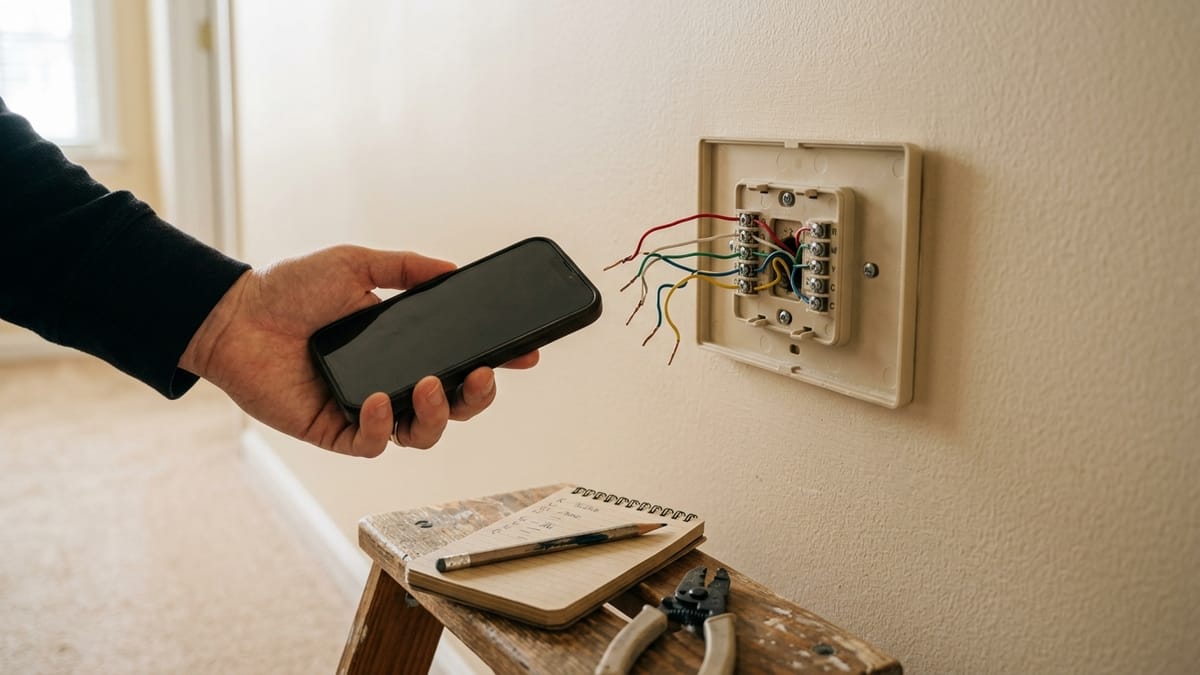
The product page says the thermostat works with “most systems.” Your house, however, has one specific system—and the listing cannot see its voltage, control board, heat-pump stages, zone panel, or earlier modifications.
That is why compatibility is not a wire-count question. It is a chain of separate questions: What kind of control voltage is present? What heating and cooling equipment is being controlled? How will the thermostat receive steady power? Can the exact model handle the stages and accessories? And does the manufacturer’s checker have accurate information about the system?
This guide compares current official documentation. I did not inspect an HVAC system, handle thermostat wiring, install these products, or test compatibility. It is a pre-purchase guide, not an installation or electrical guide.
Compatibility has more than one layer
A thermostat can look plausible at the wall and still be the wrong control for the equipment behind it. Work through these layers in order:
- Control voltage. Common smart thermostats are generally designed around low-voltage HVAC controls, often 24 volts. Line-voltage and millivolt systems are different categories.
- HVAC equipment. A conventional furnace and air conditioner, boiler, heat pump, fan-coil unit, dual-fuel system, and zoned system do not present the same control problem.
- Thermostat power. A C-wire is one power path. Some exact models support an approved connector, extender, or adapter for certain systems; others require a traditional C-wire.
- Model capacity. Stage counts, auxiliary heat, fan speeds, and humidifier or ventilation controls vary by product—even within one brand.
- Installation and household fit. Wall coverage, Wi-Fi, app/account requirements, household access, and the need for equipment-side work remain separate from basic electrical compatibility.
Passing one layer does not pass the others. A visible C-wire does not prove that the thermostat supports the system. A missing C-wire does not automatically rule out every model.
Start with voltage and system type
Google’s current Nest compatibility documentation describes most supported systems as 24-volt heating and cooling controls. It separately identifies 110/120/240-volt controls, commonly associated with electric baseboard or other electric radiant heat, as high voltage and incompatible with Nest thermostats. It also excludes millivolt heaters because they cannot provide the required power.
Those are Nest-specific boundaries, but the larger lesson is product-neutral: do not treat every wall thermostat as the same kind of control. A high-voltage marking, thick conductors, wire nuts, or a millivolt appliance may be a reason to stop—not a diagnosis made from appearance.
Do not measure voltage or remove equipment covers for this pre-check. Use the current thermostat manual, HVAC records, equipment model information, or qualified professional confirmation when the control type is unclear.
Next, identify the broad equipment arrangement from safe records:
- conventional furnace and air conditioning;
- heat pump, with or without auxiliary or emergency heat;
- boiler or radiant system;
- dual-fuel system;
- single-stage or multi-stage heating and cooling;
- multiple thermostats or a zone-control panel;
- fan-coil or PTAC equipment; and
- separate humidifier, dehumidifier, or ventilation controls.
The category is only a starting point. A thermostat advertised as working with heat pumps may still have limits on heat-pump stages, auxiliary heat, dual fuel, or the terminals available for accessories.
Record terminal labels, not wire colors
If the connected terminal labels are already visible, or the thermostat manufacturer’s current instructions identify a safe, non-wiring way to view them, save a clear photo. Otherwise, use existing records or ask manufacturer support or a qualified HVAC professional. Labels such as R, Rc, Rh, C, W1, W2, Y1, Y2, G, O/B, AUX, and E describe control connections more reliably than insulation color.
Google explicitly tells compatibility-checker users to ignore wire colors and enter the connector labels. A red wire is not proof that it belongs in R; systems are not universally color-coded.
Nonstandard labels deserve more caution. Google lists examples such as 1/2/3 and A/B/C as signs of proprietary controls in its Nest guidance. Those labels do not prove what a different brand will support, but they are a strong reason to consult the HVAC equipment documentation before assuming a standard smart thermostat can replace the current control.
Do not move a wire merely to photograph or identify it. If the labels are hidden, duplicated, joined elsewhere, or inconsistent with the records, leave that uncertainty for current manufacturer support or a qualified HVAC professional.
The C-wire answer is not simply yes or no
A common wire generally provides continuous power to the thermostat; it does not call for heating or cooling. Google says some Nest systems need a C-wire or Nest Power Connector, including certain heat-only, cool-only, zoned, and heat-pump arrangements. ecobee’s current Premium and Enhanced specifications describe 24VAC power through C and Rc, with an included Power Extender Kit as an approved path for supported systems without a fifth conductor.
That does not make every no-C-wire system compatible. The approved power path depends on the exact thermostat and HVAC configuration. A two-wire heat-only system, for example, could represent several control types; wire count alone does not establish voltage, equipment type, or a supported power solution.
Power also has to be adequate, not merely visible. A conductor attached to C cannot prove the rest of the system is supported, that the connection supplies appropriate power, or that another accessory is not already involved. Use the exact model’s checker and power documentation together.
Heat pumps, stages, zones, and accessories change the question
Heat-pump labels often include O/B for the reversing valve and may include AUX or E for supplemental or emergency heat. The labels are clues, not permission to reconfigure anything.
Current Nest documentation shows different heat-pump and stage limits across Nest thermostat generations. ecobee’s current Premium and Enhanced pages also list different auxiliary-heat and accessory capacities. This is why “works with heat pumps” is incomplete: the exact model must support the actual stages and backup-heat arrangement.
Dual-fuel systems add another boundary because a heat pump and separate furnace are coordinated. Google recommends professional installation for systems including dual fuel and dual transformers. Treat that as a confirmation case rather than trying to infer the sequence from terminal labels.
Zoning is not the same as staging. A zoned home has separate areas controlled through multiple thermostats or dampers; a multi-stage system changes the level of heating or cooling within a system. Google says many zoned systems can work with Nest, but some zone panels cannot provide enough thermostat power and some damper controls use proprietary wiring. An online thermostat checker cannot inspect the whole zone design.
Accessories matter too. A humidifier, dehumidifier, ventilation unit, or multi-speed fan may occupy terminals and require capacities that differ by model. A thermostat can support the main furnace and air conditioner yet still be a poor replacement if it cannot control an existing accessory the household expects to keep.
How three official compatibility methods differ
This is a comparison of current checking methods, not a product ranking.
| Ecosystem | Official method | What you need | Power approach shown in current documentation | Important limits to confirm |
|---|---|---|---|---|
| Google Nest | Online Compatibility Checker plus model table | System type and connected terminal labels; wire colors are ignored | C-wire or Nest Power Connector for specified model/system combinations | High voltage, millivolt, proprietary controls, stages, heat-pump/AUX, dual fuel, zones, and accessories |
| ecobee | Compatibility Checker plus exact product specifications | Current thermostat connections and system details | Current Premium/Enhanced use 24VAC through C/Rc; PEK is an approved path for supported systems | Stage and AUX counts, fan-coil support, and accessory capacity vary by exact model; uncommon or incomplete terminal sets require a current checker or support result. |
| Resideo / Honeywell Home | Thermostat wiring compatibility tool plus support | Existing terminal/wiring information | Tool routes the user toward compatible products and separate C-wire help | Public checker page does not replace exact product limits or equipment confirmation |
The checker is only as good as the inputs. Save the result and every warning it displays. An “incompatible” or inconclusive result is useful: it prevents an optimistic purchase. A compatible result is narrower—it means the entered information matched the tool’s current rules, not that hidden splices, equipment condition, local-code work, or installation quality were inspected.
Warning signs that need more confirmation
| What you notice | What it may indicate | Practical next step before buying |
|---|---|---|
| 110/120/240V marking, thick wires, or wire nuts | Line/high-voltage control | Stop and confirm the control type and exact product voltage limits professionally |
| Only two connected wires | Heat-only, millivolt, or proprietary control may be possible | Identify system type and exact labels; use model-specific power guidance |
1/2/3, A/B/C, or other nonstandard labels | Proprietary or communicating control may be present | Check the HVAC equipment maker’s documentation; do not map labels by guesswork |
O/B with AUX or E | Heat pump with supplemental/emergency heat may be present | Confirm exact model stage and backup-heat support |
W2, Y2, or multiple stage labels | Multi-stage equipment may be present | Compare stage counts with the exact thermostat specification |
| Multiple thermostats or a zone panel | Zoned controls may be present | Confirm zone-panel power and damper-control compatibility |
| Separate humidity or ventilation controls | Accessory terminals may be required | Check the exact model’s accessory capacity |
No visible C, joined wires, or unexplained adapters | Power path may depend on hidden or equipment-side components | Treat the checker as incomplete and seek current support or professional confirmation |
None of these observations diagnoses the system. They identify where a simple online answer may be too narrow.
What to collect before opening a checker
Gather information that is already safely available:
- current thermostat make and model;
- HVAC equipment make/model from owner documents, service records, or safely visible labels;
- a clear photo of connected thermostat terminal labels, if safely accessible;
- heating/cooling type and fuel, if known;
- heat pump and auxiliary/emergency heat status;
- documented stage count;
- number of thermostats and known zone controls;
- humidifier, dehumidifier, ventilation, fan-coil, or other accessories;
- country or region; and
- the exact thermostat model being considered.
Also note the practical requirements that a wiring checker may not cover. Will the new backplate cover the existing wall opening? Is Wi-Fi reliable at the thermostat location? Which app and account are required? Who will receive household access? Depending on the access level and current app behavior, Google Home household access can extend beyond one thermostat.
If you are still deciding whether the category is worthwhile, settle that question separately in Do You Really Need a Smart Thermostat?. Compatibility answers “can this model fit the system?” It does not answer “will this household value the features?”
What the online result cannot guarantee
An online checker cannot see inside the wall, verify equipment condition, discover every prior modification, confirm local electrical requirements, or promise successful installation. It may not know that wires are spliced away from the thermostat, that a zone panel has unusual power behavior, or that an accessory must remain under separate control.
Compatibility and safe installation are related but separate questions. A clear checker result can support a purchase decision. It does not authorize work beyond the current manufacturer instructions, and it does not remove the need for professional confirmation when voltage, system type, stages, zones, accessories, or power remain unclear.
Sources checked
The following official pages were checked on July 18, 2026. Product generations and compatibility rules can change, so recheck the exact model before purchase.
- Google: Nest thermostat compatibility and model limits, C-wire and Nest Power Connector guidance, zoned-system compatibility, thermostat-wire label identification, and Google Home household access
- ecobee: thermostat compatibility checker, Smart Thermostat Premium specifications, and Smart Thermostat Enhanced specifications
- Resideo: Honeywell Home thermostat wiring compatibility tool
- ENERGY STAR: general smart-thermostat compatibility and C-wire guidance
The decision rule
Buy only when you can describe the control-voltage family and HVAC type, enter trustworthy terminal information, match the exact thermostat’s power and capacity limits, and understand every warning from the official checker.
If one of those links is missing, pause before purchase. “Compatible with most systems” is a starting claim. Compatibility with your system is a documented conclusion that still needs the right inputs.