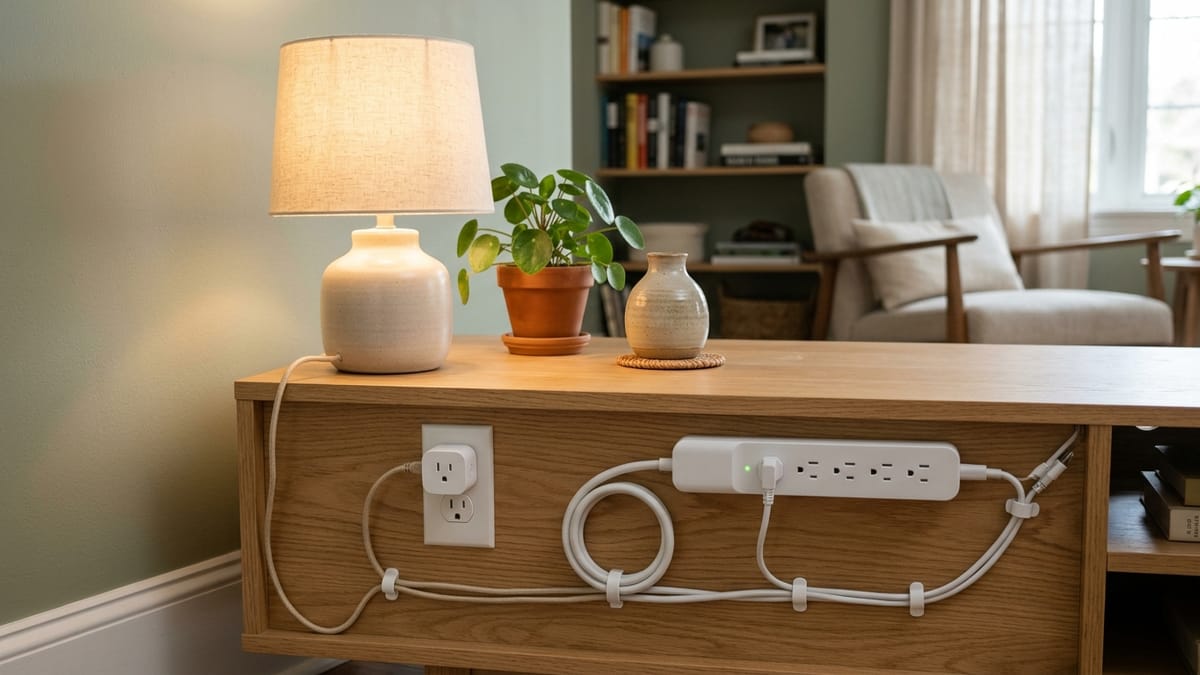
A smart plug can switch one outlet. A smart power strip can expose several controllable outlets. Neither statement tells you whether the connected load should be switched remotely, restarted on a schedule, or placed behind that product at all.
The load comes first. A table lamp that safely resumes when power returns presents a different decision from a space heater, refrigerator, aquarium pump, medical device, or appliance with electronic controls. Outlet count, an app, and an amperage headline do not erase those differences.
This article compares current CPSC and UL safety guidance with representative TP-Link, Eve, and Leviton documentation. I did not inspect household wiring, measure loads, or test these products. It is a pre-purchase screening guide, not electrical work, a universal device approval, or a savings claim.
Start with what happens when power changes
Before choosing a plug or strip, answer four questions about the appliance itself:
- Is the appliance manufacturer willing to have it connected through this kind of control?
- Does it resume automatically when power is restored, stay off, or require a physical button?
- Could an unexpected start, missed restart, or remote shutoff create heat, water, food, medical, network, or safety consequences?
- Does the smart product publish a rating for that load type—not only a general maximum?
If the consequence of getting those answers wrong is more than inconvenience, do not make the smart device the weak link without explicit documentation from both products.
One outlet or several is the second decision
| Household need | Better fit to evaluate | Why | Load or device caution | Network or account dependency | Recovery behavior to verify |
|---|---|---|---|---|---|
| One ordinary lamp | Smart plug | One controllable load with a manual button is simple | Confirm lamp type and plug rating | Remote control and app setup vary; local button should remain clear | State after power restoration and whether schedules resume |
| Several independent low-consequence electronics in one area | Smart power strip | Individually switched outlets can avoid stacking multiple plugs | Total strip capacity is shared even when outlets are controlled separately | App may expose each outlet while USB ports may be always-on | Which outlets restore on, off, or last state |
| Television and accessories | Smart power strip or ordinary surge protector, depending on the goal | Several related devices may share one location | Do not assume remote-off is appropriate for every set-top box, recorder, or storage device | Cloud commands may be unnecessary if surge protection is the real need | Safe shutdown, updates, recordings, and restart sequence |
| Energy-use observation for one supported device | Smart plug with documented monitoring | Per-outlet data can show consumption at that point | Monitoring accuracy and supported load still depend on model | History may require an app/account | Whether data survives reset, outage, or account change |
| Protection from voltage surges | Listed surge protector, smart only if explicitly specified | Surge protection is a separate electrical function | An ordinary smart strip may provide distribution only | Smart features do not create surge protection | Protection indicator, rating, and replacement guidance |
| Consequential or unattended equipment | Usually neither by default | Automation failure may matter more than convenience | Exact smart-control and appliance approval is required | Internet, account, schedule, and power behavior add failure paths | Safe state after every outage, reset, disconnect, and manual override |
TP-Link’s current P316M is an example of a smart strip that explicitly documents six individually controlled AC outlets, always-on USB ports, energy monitoring, and surge protection. That combination must not be generalized to every smart strip. UL notes that ordinary power strips and surge protectors can look alike even though surge protection requires additional components and a published rating.
Load-risk screening matrix
The classifications below are starting positions, not approvals. “Documentation permits” means both the smart-control product and the connected appliance allow the use.
| Load or device | Screening classification | Why the classification is cautious | What must be confirmed |
|---|---|---|---|
| Lamp | Commonly reasonable candidate when documentation permits | Usually low consequence and easy to observe | Lamp/load type, rating, indoor location, manual control, restoration state |
| Fan | Requires exact device and appliance confirmation | A motor rating can differ from a general resistive rating; restart behavior matters | Motor/horsepower allowance, fan manual, unattended use, restoration state |
| Television setup | Requires exact device and appliance confirmation | Several components may not tolerate abrupt cutoff or synchronized restart | Each device manual, total strip rating, safe shutdown, surge need |
| Router or network equipment | Requires exact device and appliance confirmation | Turning it off can also remove the network needed to turn the smart outlet back on | Local/manual recovery, schedule storage, modem/router restart order |
| Holiday lights | Commonly reasonable candidate when documentation permits | Scheduling can fit the use, but seasonal wiring and total load still matter | Listed lights, indoor/outdoor rating, total load, damaged-cord inspection |
| Space heater | Poor automation candidate without explicit approval | CPSC guidance says portable heaters should be plugged directly into a wall outlet, not an extension cord or power strip | Heater manufacturer instructions and explicit controller approval; otherwise do not use |
| Coffee maker or cooking/heating appliance | Poor automation candidate without explicit approval | Heat and unattended automatic restart can create consequences beyond convenience | Appliance manual, attended-use requirements, switch behavior after power restoration |
| Refrigerator or freezer | Poor automation candidate without explicit approval | A missed restart can affect food and a compressor can have distinct starting behavior | Appliance manufacturer permission, motor/inrush scope, default state, outage alert and recovery |
| Aquarium equipment | Poor automation candidate without explicit approval | A missed restart can affect pumps, heat, aeration, and living animals | Each device’s manual, continuous-duty expectations, safe restoration and monitoring |
| Medical or safety equipment | Poor automation candidate without explicit approval | Remote off, account failure, or missed restart can have serious consequences | Device manufacturer and care/safety guidance; use a purpose-designed system if required |
| Sump or utility pump | Poor automation candidate without explicit approval | A control failure can create water damage and motor starting loads matter | Pump manufacturer permission, motor rating, local code/professional requirements, fail-safe behavior |
| Appliance with electronic controls | Requires exact device and appliance confirmation | Some appliances remain off, reset a clock, or enter an unexpected mode after power returns | Actual restoration behavior and whether remote power cycling is supported |
The table deliberately does not calculate household wattage or declare a universal safe load. Read the nameplate and manuals, use the smart product’s load-category limits, and ask the manufacturers when the match is unclear.
A maximum number is not a complete load rating
Representative product pages show why. TP-Link’s Tapo P115 lists separate maximums for general/resistive use, incandescent load, and a small motor. Eve Energy lists a U.S./Canada maximum of 15 A / 1,800 W while also identifying Thread/Matter hub requirements and a separate incandescent limit. Leviton’s D215P specification lists ratings by load category, including motor horsepower.
Those numbers are not interchangeable. Do not convert them into a formula for approving an appliance. Motor starting current, heating elements, continuous operation, electronic controls, and the appliance maker’s instructions can narrow the practical use even when a simple nameplate number looks lower than a headline maximum.
A grounded receptacle on the smart device also does not prove that every connected load is suitable. Conversely, an ungrounded two-prong appliance does not make an unknown smart controller appropriate. Match plug, grounding, location, and load type exactly as documented.
Smart control is not surge protection
UL’s consumer guide makes the distinction plain: a power strip primarily adds outlets, while a surge protector includes components intended to clamp a surge and publishes a suppressed-voltage rating. A smart power strip may be either one, depending on the exact product.
Look for the product’s own surge-protection statement, certification, rating, indicator behavior, and replacement guidance. Do not infer protection from the shape of the strip, a master switch, a circuit-breaker button, or the word “smart.”
The same applies to USB ports. On the represented TP-Link strip, USB ports are always on while the AC outlets are individually controlled. Another strip may group outlets or treat USB differently. Count only controllable channels documented for the exact hardware version.
Do not create a chain of adapters
TP-Link’s current smart-plug FAQ says it does not recommend plugging a power strip into a smart plug, or placing a smart plug on an extension cord or surge protector, because the added outlets can hide an overload at the plug. CPSC warns that overloaded and damaged extension cords and power strips can present fire and shock hazards.
The practical boundary is simple: do not turn one wall receptacle into an unreviewed chain of smart plug, extension cord, strip, adapter, and multiple loads. Use listed products as their instructions describe. If permanent outlet capacity is inadequate or cords are damaged, that is an electrical-system question for a qualified electrician, not a reason to add another adapter.
Portable heater guidance is stricter. CPSC materials tell consumers to plug a portable heater directly into a wall outlet and avoid extension cords or power strips. A marketing image or high current number on a smart product should not override the heater’s safety instructions.
Internet failure and power failure are different
A smart outlet can be electrically powered while its cloud control is unavailable. It can also lose power completely and later restart. Those are separate tests.
Leviton documents that D215P schedules are stored in device memory and continue during a temporary internet outage as long as power remains. TP-Link documents local-area control on the represented P115 and publishes model-dependent schedule and default-state behavior elsewhere in its support system. Eve Energy’s current Matter version requires a compatible Matter controller and Thread border router for its connected features.
None of those facts establishes a universal restoration rule. Before using any automation, verify:
- the physical button still works without the app;
- scheduled events run locally or require internet time/service;
- the outlet returns on, off, or to its last state after power loss;
- a missed schedule is replayed or simply waits for the next event;
- household members can recover control if the owner account or phone is unavailable; and
- the connected appliance itself resumes safely.
Remote off is not useful if it disconnects the router required for remote on. Automatic on is not useful if the appliance should remain off until inspected. For consequential loads, uncertainty about restoration is enough reason not to automate.
Energy monitoring measures; it does not promise savings
Some smart plugs and strips report current and historical energy use. That can help identify when a supported device runs or compare routines. It does not guarantee a lower bill, determine appliance condition, or make an unsuitable load safe.
Use monitoring as information. Any savings depends on the load, schedule, household behavior, tariffs, and whether reducing runtime is appropriate. This guide makes no savings or payback claim.
The decision rule
Choose a smart plug when one low-consequence, documented load needs independent control. Evaluate a smart power strip when several compatible low-consequence loads share one location and each controllable outlet, total capacity, USB behavior, and surge function are clear.
Choose an ordinary listed surge protector when protection and distribution—not automation—are the actual goals. Avoid smart switching by default when a failed command, remote shutoff, or unexpected restart could affect heat, food, water, medical support, safety equipment, living animals, or essential connectivity.
If the manuals do not answer both electrical suitability and recovery behavior, the answer is not “probably.” It is manufacturer confirmation or a different setup.
Safety and product documentation
Verified 2026-07-18:
- CPSC: extension-cord and power-strip safety sheet, extension-cord safety and product-scope FAQ, and current portable-heater wall-outlet guidance
- UL Solutions: difference between power strips and surge protectors
- TP-Link: smart-plug load and adapter-chain FAQ, Tapo P115 load categories and local control, and Tapo P316M outlet, USB, monitoring, and surge specifications
- Eve: current Eve Energy U.S. specifications and Eve Energy generation and connectivity identification
- Leviton: D215P load and connectivity specification and schedule behavior during internet loss