A battery-powered Wi-Fi camera with a clip-on solar panel takes fifteen minutes to screw onto a soffit, while a Power over Ethernet (PoE) camera requires pulling a Category 6 (Cat6) cable back to a network switch. In July, both cameras appear to do the exact same job on a smartphone screen. In January—or the moment someone walks rapidly across a driveway at night—the engineering gap between IEEE 802.3af/at hardwired PoE and battery-operated 2.4GHz Wi-Fi becomes impossible to ignore.
Two physical constraints govern outdoor residential cameras: passive infrared (PIR) sleep-wake latency and lithium-ion sub-freezing electrochemistry. A battery camera cannot keep its image sensor and Wi-Fi radio powered 24 hours a day without draining its cells in less than a day, and standard lithium-ion batteries cannot accept a solar charge once ambient temperatures drop below 32°F (0°C).
This pre-purchase planning guide compares IEEE 802.3af/at PoE specifications, National Electrical Code (NEC) Article 725 Class 2 low-voltage rules, ONVIF local recording standards, and battery management system (BMS) thermal cutoffs; our editorial team did not perform destructive cold-chamber testing or pull structural wiring for this article.
1. The Architectural Split: 24/7 Continuous Streams vs. PIR Sleep-Wake Clips
The biggest difference between wired PoE and battery/solar Wi-Fi cameras is not image resolution—many sensors in both categories use identical 4MP (2K) or 8MP (4K) CMOS chips. The difference is what the camera is doing three seconds before motion occurs.
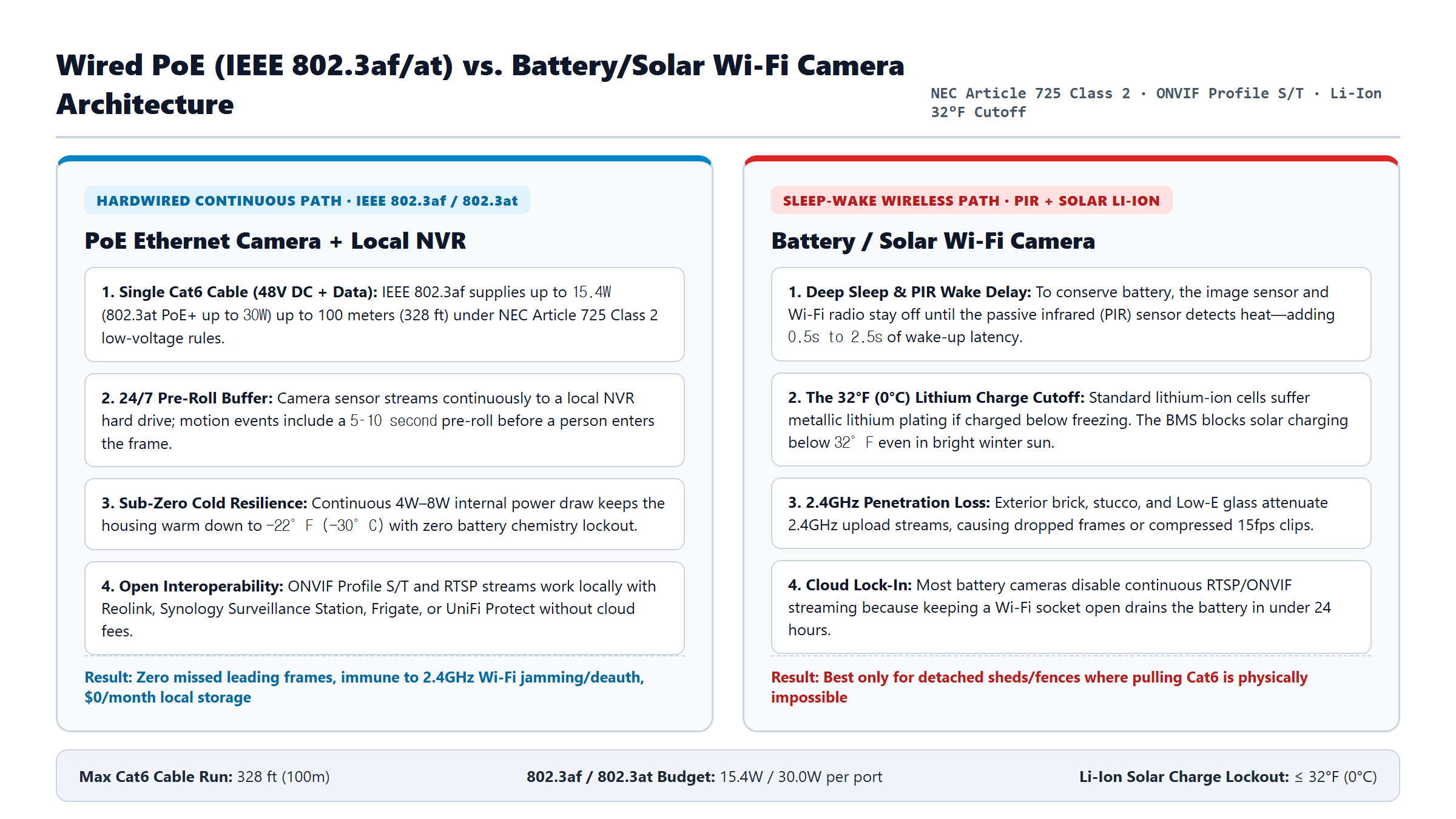 Figure 1: Hardwired IEEE 802.3af/at PoE cameras stream continuously to a local NVR with 5–10 seconds of pre-roll buffer, whereas battery/solar cameras sleep until a PIR thermal trigger wakes the main system-on-chip (SoC).
Why Battery Cameras Record the Back of the Delivery Driver’s Head
To survive for months on a 5,000 mAh to 10,000 mAh lithium-ion pack, a wireless camera shuts down its main image processor, encoding chip, and Wi-Fi radio. Only a micro-power passive infrared (PIR) pyroelectric sensor remains awake, watching for a shifting heat signature across Fresnel lens zones:
- Thermal Detection Limit: PIR sensors detect differential infrared heat moving across zones (typically out to 20–30 feet). They struggle when a person walks directly toward the lens, when a vehicle approaches behind insulated glass, or when winter coats mask body heat.
- Cold-Boot & TLS Handshake Delay (
0.5s–2.5s): Once the PIR sensor trips, the camera must cold-boot its SoC, calibrate auto-exposure, associate or wake its 2.4GHz Wi-Fi connection, and negotiate a cloud TLS handshake (or wake a proprietary hub). By the time recording starts, a fast-moving subject is often already leaving the frame.
How PoE + Local NVR Eliminates Missed Leading Frames
A PoE camera receives continuous DC power over the same twisted-pair Ethernet cable that carries its video data. Because power is never rationed:
- Continuous Pre-Roll Buffering: The camera streams 24/7 to a local Network Video Recorder (NVR) or NAS drive. When optical or on-device AI person/vehicle detection triggers an event, the NVR saves the 5 to 10 seconds of video that occurred before the trigger—showing where the person or car came from, not just their exit.
- Pixel & AI Motion at 100+ Feet: Instead of relying on a short-range thermal PIR cone, a PoE camera analyzes every video frame continuously using full-frame optical and neural-network object detection, spotting vehicles or pedestrians at the end of a long suburban driveway or through a window.
2. The Winter Trap: Why Solar Cameras Die Below 32°F (0°C)
Marketing pages for solar-assisted battery cameras routinely promise “forever power” with two hours of direct sunlight per day. That math holds true in autumn and spring, but it runs into an unforgiving electrochemical wall during northern winters.
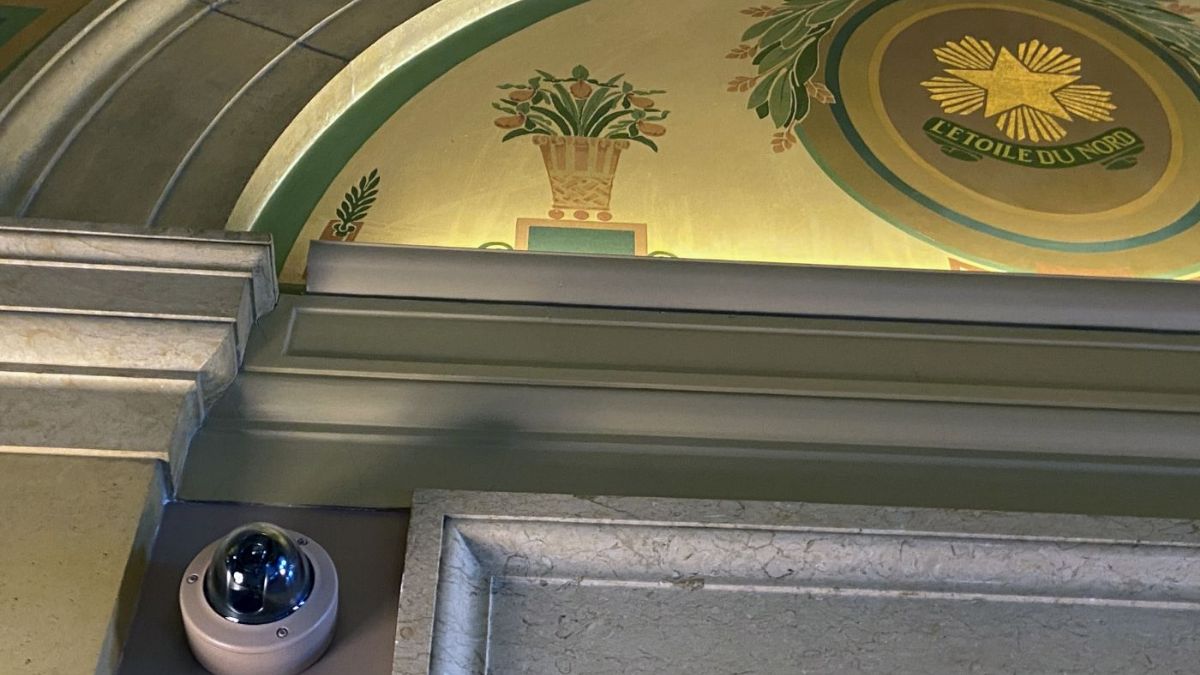
 Figure 2: A hardwired vandal-dome security camera mounted on an exterior wall. Continuous internal PoE power draw (4W–8W) generates self-heating inside the sealed housing, allowing operation down to -22°F (-30°C).
Lithium Plating and BMS Charge Lockout
Standard rechargeable lithium-ion (NMC / LCO) cells can safely discharge (power the camera) down to roughly -4°F (-20°C), albeit with higher internal resistance and reduced capacity. However, charging a standard lithium-ion cell below 32°F (0°C) causes metallic lithium plating on the graphite anode. Lithium plating permanently degrades cell capacity and can grow internal dendrites that risk an internal short circuit.
To comply with UL 2054 / IEC 62133 battery safety protections, every reputable camera’s internal Battery Management System (BMS) includes a thermistor that shuts off solar charging whenever the battery core temperature sits at or below 32°F (0°C):
- Even on a crystal-clear, sunny January afternoon at 22°F (-5.5°C), the solar panel generates voltage, but the camera’s BMS refuses to charge the battery.
- During a multi-week freeze, the camera slowly drains its stored charge until it powers off completely—forcing you to climb an icy ladder to bring the camera indoors to warm up above 40°F before it will accept a USB-C charge.
By contrast, a wired PoE camera has no lithium battery inside. Furthermore, its continuous 4W to 8W electrical draw warms the sealed aluminum housing from the inside, allowing most IP66 / IP67 (IEC 60529) PoE cameras to operate continuously down to -22°F (-30°C) or -40°F (-40°C).
3. IEEE 802.3af / 802.3at PoE and NEC Article 725 Wiring Rules
Homeowners often hesitate to install PoE cameras because they assume running camera wires requires a licensed electrician or high-voltage conduit. In most US jurisdictions, PoE Ethernet cabling is classified as NEC Article 725 Class 2 low-voltage wiring.
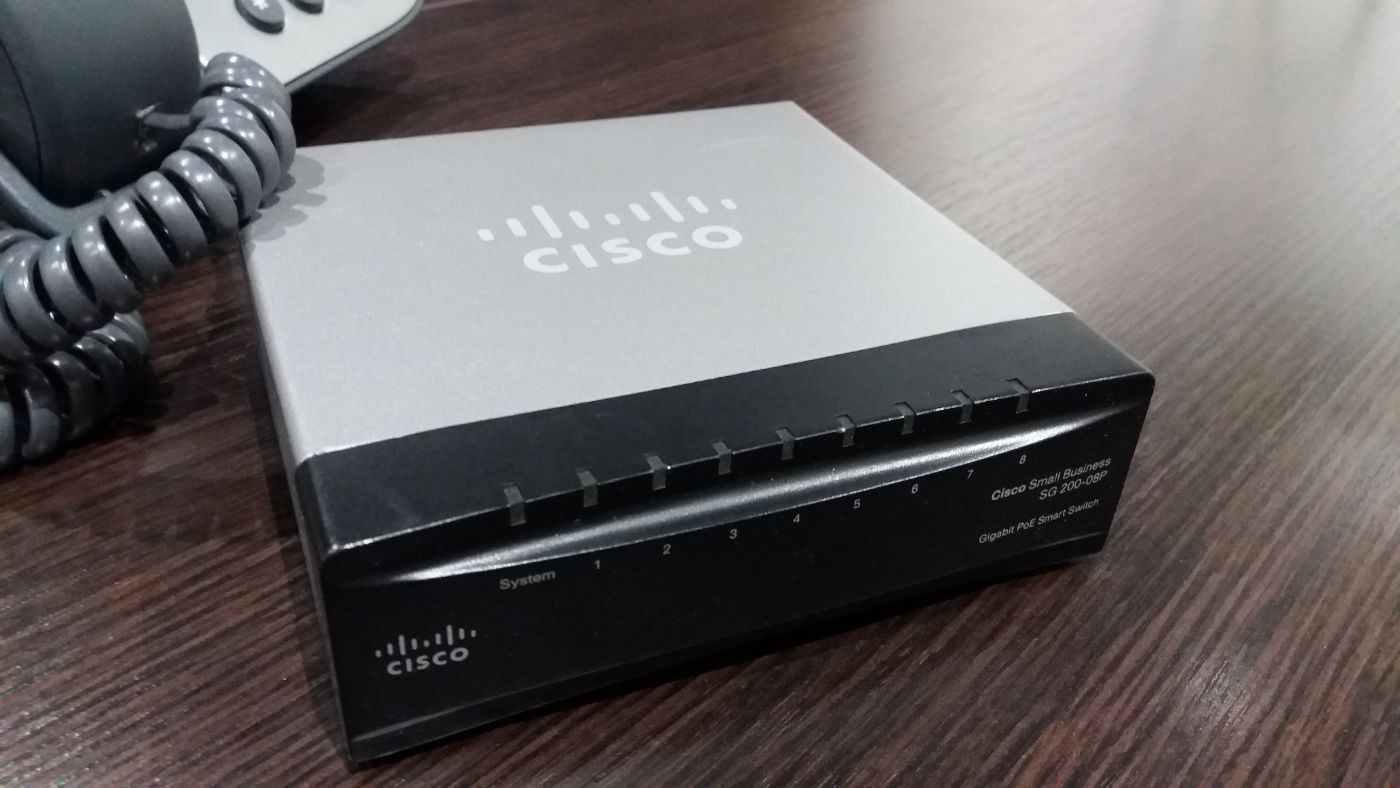 Figure 3: An 8-port Gigabit PoE switch (Cisco SG 200-08P). Each PoE port negotiates 48V DC power and 100/1000 Mbps data over a single Cat5e/Cat6 cable up to 328 feet (100 meters).
Understanding the PoE Standards Table
When choosing a PoE switch or NVR with built-in PoE ports, verify which IEEE 802.3 power budget your cameras require:
| Standard | Common Name | Max Power at Switch Port (PSE) | Guaranteed Power at Camera (PD, 100m) | Typical Camera Use Case |
|---|---|---|---|---|
| IEEE 802.3af | PoE (Type 1) | 15.4 W (44–57V DC) | 12.95 W | Standard fixed 2K/4K bullet, turret, and dome cameras with IR/warm-light LEDs (4W–9W typical) |
| IEEE 802.3at | PoE+ (Type 2) | 30.0 W (50–57V DC) | 25.50 W | Dual-lens 180° stitched panoramic cameras, high-output floodlight PoE cameras, and motorized PTZ (Pan-Tilt-Zoom) domes with active heaters |
| IEEE 802.3bt | PoE++ (Type 3/4) | 60 W / 90 W | 51 W / 71 W | Long-range industrial PTZ domes or exterior PoE passthrough switches powering multiple downstream cameras |
Four Cable & Installation Rules That Prevent Failures
- Insist on 100% Pure Bare Copper (Never CCA): Cheap bulk Ethernet cable sold online is often Copper-Clad Aluminum (CCA). CCA violates NEC and ANSI/TIA-568 standards for PoE; aluminum has higher electrical resistance, causing severe voltage drop over long attic runs, overheating under PoE+ loads, and brittle conductors that snap at the RJ45 crimp. Always check the cable jacket for 23 AWG or 24 AWG Solid Bare Copper with a CM / CMR (Riser) rating for in-wall runs or UV-resistant CMX for outdoor exposure.
- Respect the 328-Foot (100-Meter) Limit: Standard Ethernet and PoE are rated for a maximum channel length of 100 meters (328 feet) from the PoE switch to the camera.
- Seal the Weatherproof RJ45 Gland: Water intrusion inside an exterior RJ45 jack causes green copper corrosion across the 48V pins within weeks. Always slide the manufacturer’s twist-lock waterproof collar and rubber O-ring over the RJ45 connector, and form a drip loop so rainwater runs off the bottom of the cable before entering the soffit or junction box.
- Check Total Switch PoE Wattage Budget: An 8-port PoE switch might advertise “8 PoE+ ports (up to 30W per port)” while having an internal power supply rated for only 60W total. Multiply your camera count by each camera’s maximum night-vision wattage (when IR LEDs or spotlights turn on at sunset) and leave a 20% headroom buffer.
4. Avoiding Ecosystem Lock-In: ONVIF Profile S/T and Local NVRs
Whether you choose a dedicated hardware NVR (such as Reolink, UniFi Protect, or Lorex) or a software NVR running on a home server or NAS (such as Synology Surveillance Station, Frigate NVR, or Blue Iris), check for ONVIF and RTSP support before buying cameras.
- ONVIF Profile S: Standardized IP video streaming, pan-tilt-zoom control, and relay outputs.
- ONVIF Profile T: Adds support for H.264 / H.265 video compression, motion alarm events, and on-screen display configuration.
- ONVIF Profile G: Standardized edge storage (microSD card) recording and retrieval.
If a PoE camera supports standard ONVIF Profile S/T and exposes a local RTSP stream without requiring a proprietary cloud account to initialize, you are never trapped by a single manufacturer. Even if the camera brand discontinues its smartphone app five years from now, your cameras will continue recording locally on any ONVIF-compliant NVR with $0 in monthly subscription fees.
5. Homeowner Decision Matrix: PoE vs. Battery Solar Wi-Fi
You do not have to choose one architecture for your entire property. Many suburban homeowners run wired PoE for high-priority entry points (driveway, front porch, back patio) and use a battery/solar camera for a detached shed or back fence gate where trenching conduit is impractical.
| Evaluation Metric | Wired PoE Camera + Local NVR | Battery / Solar Wi-Fi Camera |
|---|---|---|
| Recording Mode | 24/7 continuous + motion event markers | Motion-triggered clips only (10s–60s) |
| Pre-Event Buffer (Pre-Roll) | 5–10 seconds before motion trigger | None (0.5s–2.5s wake-up delay after PIR trigger) |
| Detection Range | 80–150+ ft (optical + on-device AI frame analysis) | 20–30 ft (limited by PIR thermal sensor cone) |
| Winter Operation below 32°F (0°C) | Unaffected (operates down to -22°F / -30°C) | Solar charging halts below 32°F (BMS lithium plating protection) |
| Wi-Fi Congestion & Jamming | Immune (dedicated hardwired Cat6 link) | Vulnerable to 2.4GHz interference, stucco attenuation, and deauth attacks |
| Monthly Cloud Subscription | $0/month (local 2TB–16TB NVR hard drive + microSD) | Often $3–$15/month for cloud clips or AI person detection (unless paired with a local base station) |
| Installation Effort | Moderate to high (requires pulling Cat6 through attic/soffit) | Low (4 screws on wall + Wi-Fi pairing) |
What to Read Next
- Video Doorbells With No Monthly Fee: What to Look For
- Home Wi-Fi for Smart Devices: 2.4GHz vs. 5GHz, Mesh Networks, and Why Connections Keep Dropping
- The Smart Home Subscription Trap: What Actually Happens When You Refuse to Pay Monthly?
Sources & Standards Referenced
- IEEE Standards Association — IEEE 802.3af / 802.3at / 802.3bt (Power over Ethernet): Official DTE Power via MDI electrical specifications, port power classifications, and 100-meter cabling parameters. (standards.ieee.org)
- National Fire Protection Association — NFPA 70 (National Electrical Code, Article 725): Class 2 and Class 3 remote-control, signaling, and power-limited low-voltage circuit installation rules. (nfpa.org)
- ONVIF (Open Network Video Interface Forum) — Profile S, Profile T, and Profile G Specifications: Official interoperability standards for IP-based physical security products. (onvif.org/profiles)
- Battery University / UL 2054 — Charging Lithium-Ion at Low Temperatures: Electrochemical constraints on sub-freezing lithium-ion charging (
0°C / 32°Fanode lithium plating threshold and BMS thermal cutoffs). (batteryuniversity.com)