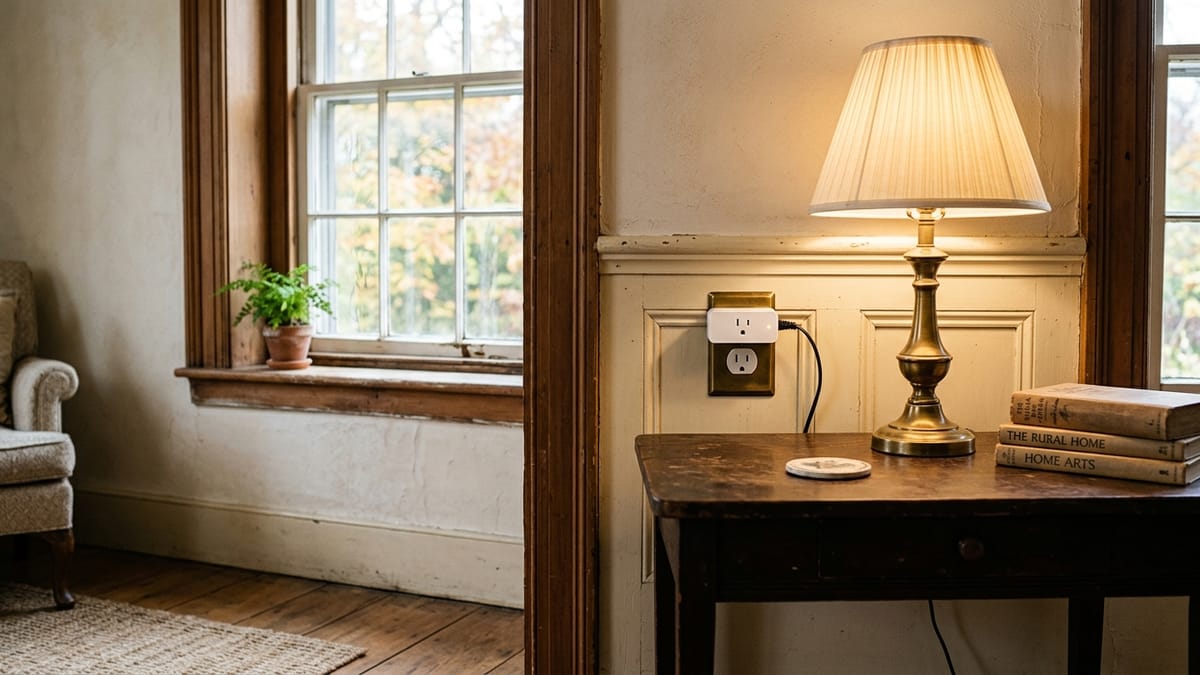
An older house can make a simple smart-home idea feel surprisingly complicated. The lamp is in the right place, but the nearest outlet is already busy. The room where you want a sensor is separated from the router by thick plaster walls. One light uses a familiar switch, another has an older fixture, and a third is controlled from two different spots.
Those details are not flaws. They are simply the conditions that should shape the plan.
The most useful upgrades usually begin with one small inconvenience and one reversible answer. A plug-in control for a lamp, a battery-powered sensor, or a simple lighting routine can be worth considering. A project that depends on new wiring, fixture changes, or assumptions about the electrical system belongs in a different category.
The useful goal is to find the few places where a modest device fits the house and the people living in it.
Start With the Constraint, Not the Shopping List
Before choosing a device, name the routine you want to improve. Perhaps an entry lamp is easy to forget. Maybe a living-room light is awkward to reach from a favorite chair. A basement door is left open more often than anyone realizes. Or a hallway has one useful lamp but no convenient switch near the bedroom.
Then look at the constraint around that routine:
- Power: Is there a suitable outlet, a battery-powered option, or an existing lamp that already solves most of the problem?
- Signal: Does the device need Wi-Fi, a hub, or another connection that reaches this part of the house?
- Control: Will the household use a switch, app, voice command, schedule, or sensor without confusion?
- Removal: Can the change be undone easily, especially in a rental?
- Fallback: Can people still use the light or device normally if the app, internet connection, or automation is unavailable?
This short check prevents a common mistake: buying a clever device and only later discovering that it does not fit the room, the routine, or the household. The broader questions to ask before buying your first smart home device can help when the problem is still unclear.
Begin With the Least Committed Option
Sometimes the simplest answer is not connected at all. Moving a lamp, replacing a worn timer, or choosing a more suitable ordinary bulb may fix the issue with less upkeep. A smart-home purchase earns its place when it makes a repeated routine meaningfully easier.
When automation does help, plug-in and battery-powered devices are often easier to test because they do not require a permanent change. A smart plug can make sense for an appropriate lamp or plug-in device when scheduled or remote control would genuinely help. Match it to the device’s intended use and current instructions; hardwired lighting and electrical concerns call for a different solution. The guide to smart plugs versus smart power strips explains why those categories are not interchangeable.
A smart bulb can also be a low-commitment choice when the fixture and normal switch habits cooperate. If family members keep turning off the wall switch, the bulb may lose the power it needs for smart control. Older fixtures, enclosed fixtures, unusual bulb shapes, dimmers, and mixed switch arrangements can add questions that a product page may not answer at a glance. When the bulb is not an easy match, another lamp or lighting option is usually the cleaner choice.
Battery-powered sensors may be useful when the desired action is small and clear, such as noticing whether a door is open or triggering a light in a suitable location. They also introduce batteries, notifications, placement decisions, and another device to maintain. The useful question is not whether a sensor can do something. It is whether the household wants to keep living with what it does.
Let the Room Decide What Is Practical
Older layouts often grew around different assumptions about furniture, outlets, and daily movement. A device that seems simple in a newer open-plan room may be less convenient in a house with smaller rooms, thick walls, deep trim, built-in cabinets, or several additions from different decades.
Fewer outlets make placement more important. Use the available outlets for devices they can appropriately support, and avoid building a plan around layers of adapters. When the power setup itself is uncertain, resolve that question separately before adding connected devices.
Thick walls and long distances can affect whether a connected device communicates reliably in a particular location. Test the connection where the device will actually live before buying several of them. If a device requires a specific router band, hub, bridge, or platform, confirm that in current support documentation rather than assuming the label on the box tells the whole story.
Mixed switches deserve a quick inventory. A room may have a three-way arrangement, an older dimmer, or a switch that controls an outlet rather than a ceiling light. Note how the room works today before choosing a device. If the idea moves beyond placing, plugging in, or pairing a device and into wiring, fixtures, switches, panels, or other electrical work, follow current manufacturer guidance and consult a qualified professional.
For a broader household-readiness check—including accounts, controls, and what happens when technology is unavailable—use the Smart Home Setup Checklist for Non-Technical Homeowners.
A Few Low-Commitment Scenarios
The right first step depends on the routine, but several patterns keep the decision manageable.
A lamp that should follow a predictable schedule
If an existing lamp is already in the right place, a suitable timer or smart plug may be enough. This can work for an evening living-room lamp or an entry lamp that follows a regular household routine. Keep the ordinary switch usable, and make sure the connected device is intended for that load.
A hallway that needs gentler light at certain times
An ordinary night light, a different LED bulb, or a carefully chosen smart bulb may be simpler than a larger system. ENERGY STAR and DOE materials provide useful general context for LED efficiency, but a bulb change does not guarantee a particular household saving. The better decision is the one that fits the fixture, brightness need, and actual hours of use. The article on smart lighting for hallways, stairs, and nighttime routines goes deeper into that choice.
A removable alert or trigger
A battery-powered contact or motion sensor may suit a narrow routine when placement and notifications are easy to manage. Treat an alert as a useful prompt, then decide who receives it, who replaces batteries, and whether the household will still pay attention after the novelty wears off.
A device in a difficult Wi-Fi area
Test the location before committing to a group of devices. A phone showing a signal in the room does not prove that every device will behave the same way there. Current manufacturer documentation matters if a product lists particular connection or hub requirements.
These examples are intentionally modest. If the first idea requires a shopping cart full of devices, it may be worth revisiting the smart-home devices homeowners often regret buying first before moving ahead.
Remember the Account and Maintenance Chores
The device is only one part of the decision. Connected products can also bring an account, an app, software updates, passwords, notifications, and choices about who has access. NIST and CISA guidance support including device support, updates, account protection, and the home network in the plan. These are ongoing household tasks, not one-time setup details.
Decide who will own the primary account and who needs control. Check whether the device can still perform its basic job without an internet connection. Notice whether a battery warning arrives in an app that someone actually checks. If the product becomes difficult to support, can you remove it without disrupting the room?
This is where a low-commitment choice has another advantage. It is easier to retire one plug or sensor than to untangle a whole-house setup built around an account no one wants to manage.
If terms such as hub, Matter, Thread, Zigbee, or Z-Wave appear while you compare options, use the plain-English smart-home terms explainer rather than assuming a compatibility logo settles every question. Exact features still depend on the device and the platforms it supports.
Renters and Owners Have Different Limits
Renters often have a clear reason to prefer removable devices. Adhesive-mounted sensors, plug-in controls, and ordinary lamps may be easier to reverse than anything attached to a fixture or wall control. Permission still depends on the lease and the property, so check before making a change rather than treating “renter-friendly” as a universal promise.
Owners have more freedom, but a permanent change may affect a fixture, wall, finish, or electrical component that deserves a proper assessment. The useful dividing line is simple: plugging in, placing, pairing, and removing a device are different from opening, replacing, or rewiring part of the house. Once a plan crosses that line, it is a project for qualified help rather than a simple device setup.
Use a Try, Wait, or Get Advice Test
Before buying, place the idea in one of three groups.
Try: The change is reversible, solves one clear routine, uses an appropriate plug-in or battery-powered device, and leaves a simple fallback.
Wait: Compatibility is unclear, the signal is unreliable, the household does not agree on the control method, rental permission is uncertain, or the device adds more maintenance than the routine deserves.
Get advice: The idea depends on a permanent change, uncertain electrical conditions, or work beyond straightforward device setup.
This simple sorting step keeps a small convenience project from quietly becoming a much larger home project.
One Useful Routine Is Enough
An older home does not need a complete technology makeover. It may need one lamp that follows the evening routine, one removable sensor that answers a useful question, or one device placed where the signal and power already make sense.
Start with the room. Respect the constraints. Keep the fallback obvious. If the idea remains useful after those checks, try it on a small scale.
The best simple upgrade is not the one that makes the house look newer. It is the one that quietly fits the home you already have.